Apps
Last updated: October 30, 2026
Apps are ready-made pipelines we build and maintain for jobs studios do every week: a turnaround sheet, a rigging parts sheet, a batch of reskins, a localized ad. You fill in a short form, run it, and the results land on your board. There is nothing to wire up and no model to choose.
How apps work
Every app is a workflow: a fixed chain of generations and edits, published with a form that asks only for what the job needs. The steps, the models and the settings inside are already chosen and tuned for that job, so the same inputs give you the same kind of result every time.
Find an app
Apps sit under Apps in the tools menu on the home page, and under All apps in a session's side panel. Select See all apps to browse every one: search by name with Search apps, or narrow the list by label. Labels group apps by the work they serve, such as Game Art, Character Design, Concept Art, Art Style & Reskins, Progression & Upgrades, Environment Art, 3D Assets & Textures, UA Video Creatives, Marketing and Localization.
Hover an app and select the preview icon to see example inputs and the results they produced before you spend anything.
Run an app
Select Use in the preview, or select the app's tile. The app opens in a new session named after it, with its form in the side panel. Fill in the inputs it asks for (images, videos, 3D models or text), then select Run app. The button shows the estimated cost in Creative Units before you run, and outputs land on the session's board as each step finishes.
If you have run the app before, Layer asks Continue where you left off?: choose Continue last session to keep working on the same board, or Start new session for a clean one. The form stays open after a run, so you can change an input and run again.
See what an app does
Select View workflow in the app's header to open the workflow behind it and see every step it runs. That is the place to start when you want to build your own variation: see Find and run a workflow.
Apps for characters
Character Turnaround Sheet
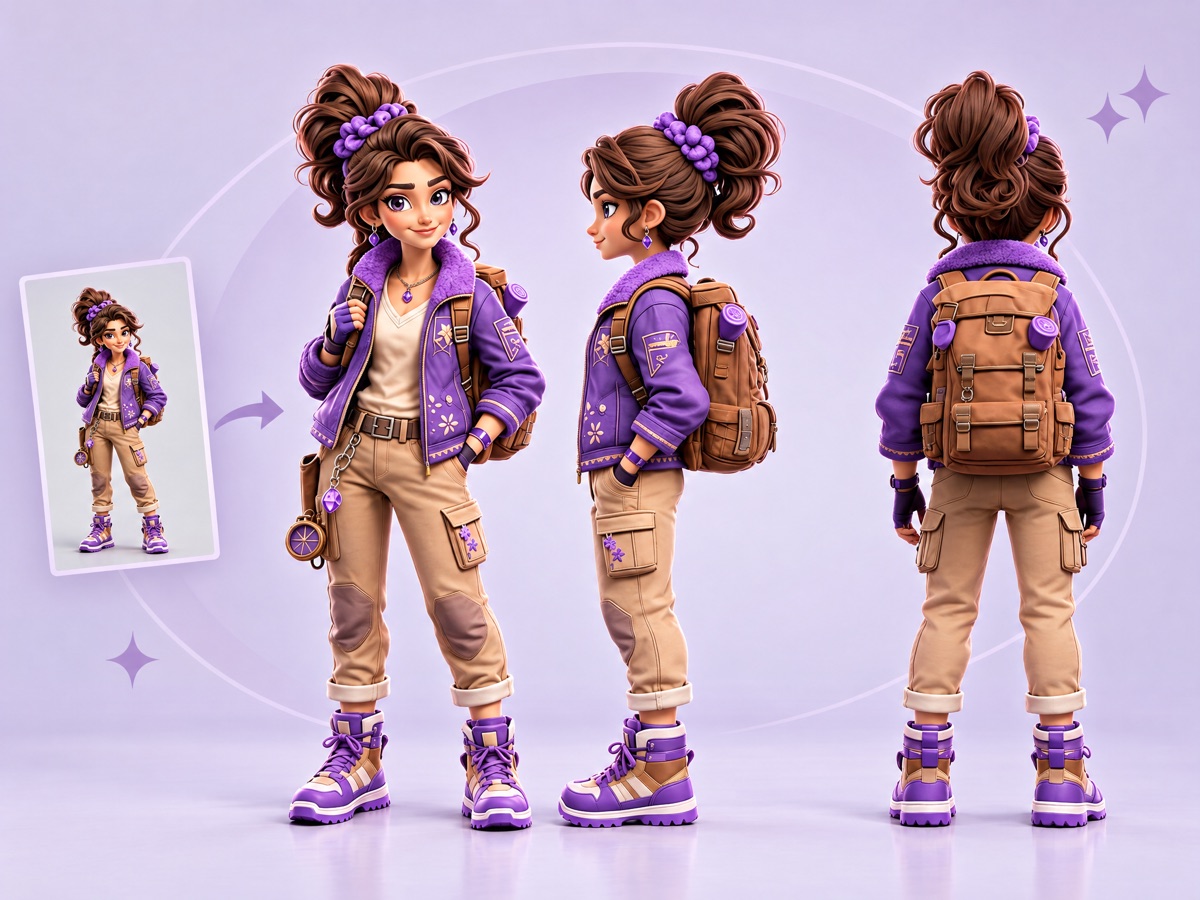
Turns one image of a character into front, side and back views with the same proportions, outfit and details in every view. Use it as the reference sheet for animation, rigging, 3D modeling or an outsourcing hand-off.
You provide one character image. You get a turnaround sheet.
Multi-Character Pose Batch
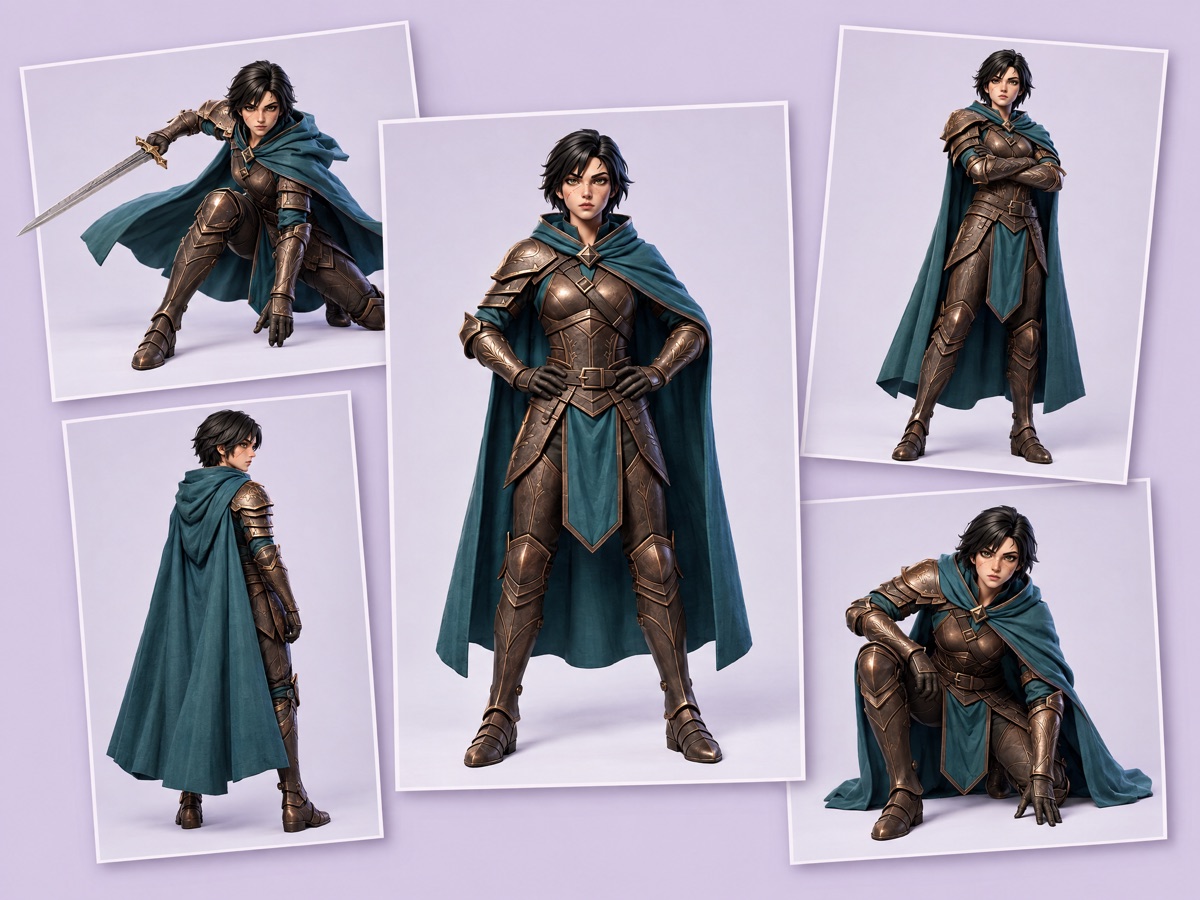
Poses up to four characters at once. Every character is drawn in every pose, with each design kept intact, which is what a roster sheet, character select art or a model sheet needs.
You provide one to four full-body characters on a plain background, front or three-quarter view, and optionally your own pose ideas (it starts from five standard poses). You get one image per character and pose.
Character Sheet Generator
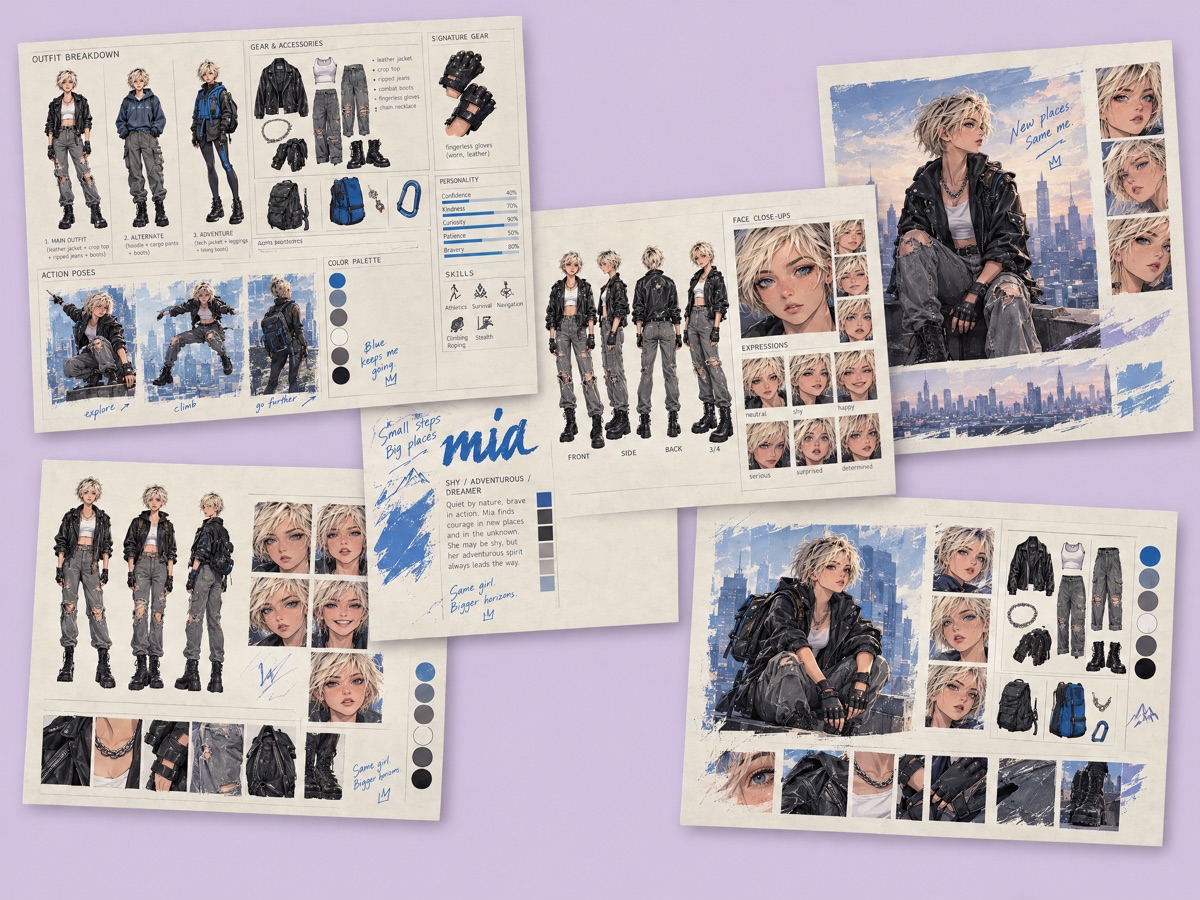
Creates a character sheet from a written description, with no uploads. The sheet shows the character from several views, with expressions and outfit details, ready for a character bible or a pitch.
You provide a visual style and, optionally, a name, a short description and any other details. You get a character sheet.
2D Animation Rigging Sheet
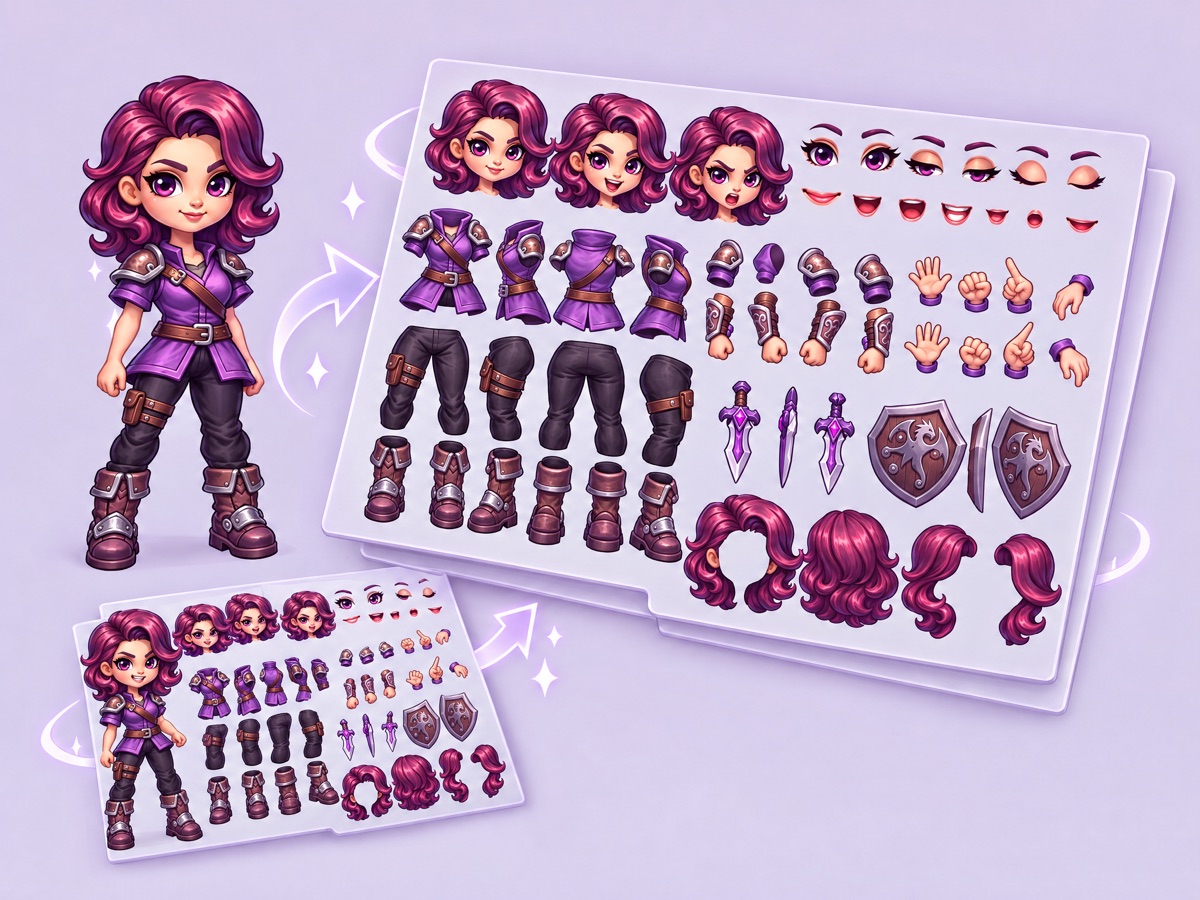
Splits a character into the separate parts a 2D rig needs: head, torso, limbs and accessories, each drawn consistently and on its own. Built for rigging in Spine, Live2D or Moho.
You provide one character image. You get a parts sheet.
Apps for effects, items and 3D
2D Alpha Effect Generator
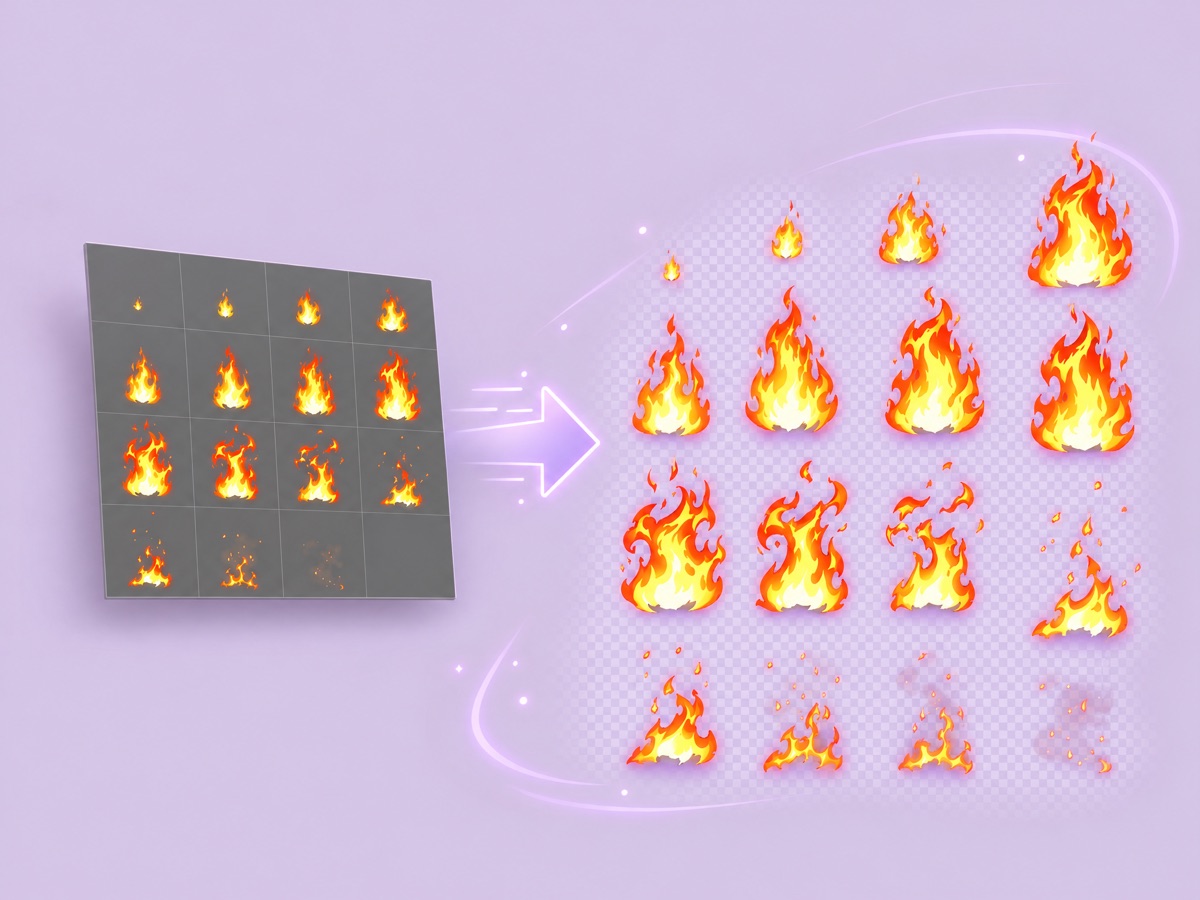
Generates a 2D visual effect, such as fire, smoke, sparks or magic, and removes its background so it keeps its transparency. The results are ready to composite over gameplay or UI.
You provide a prompt for each effect. You get the effects on a transparent background.
Weapon Evolution
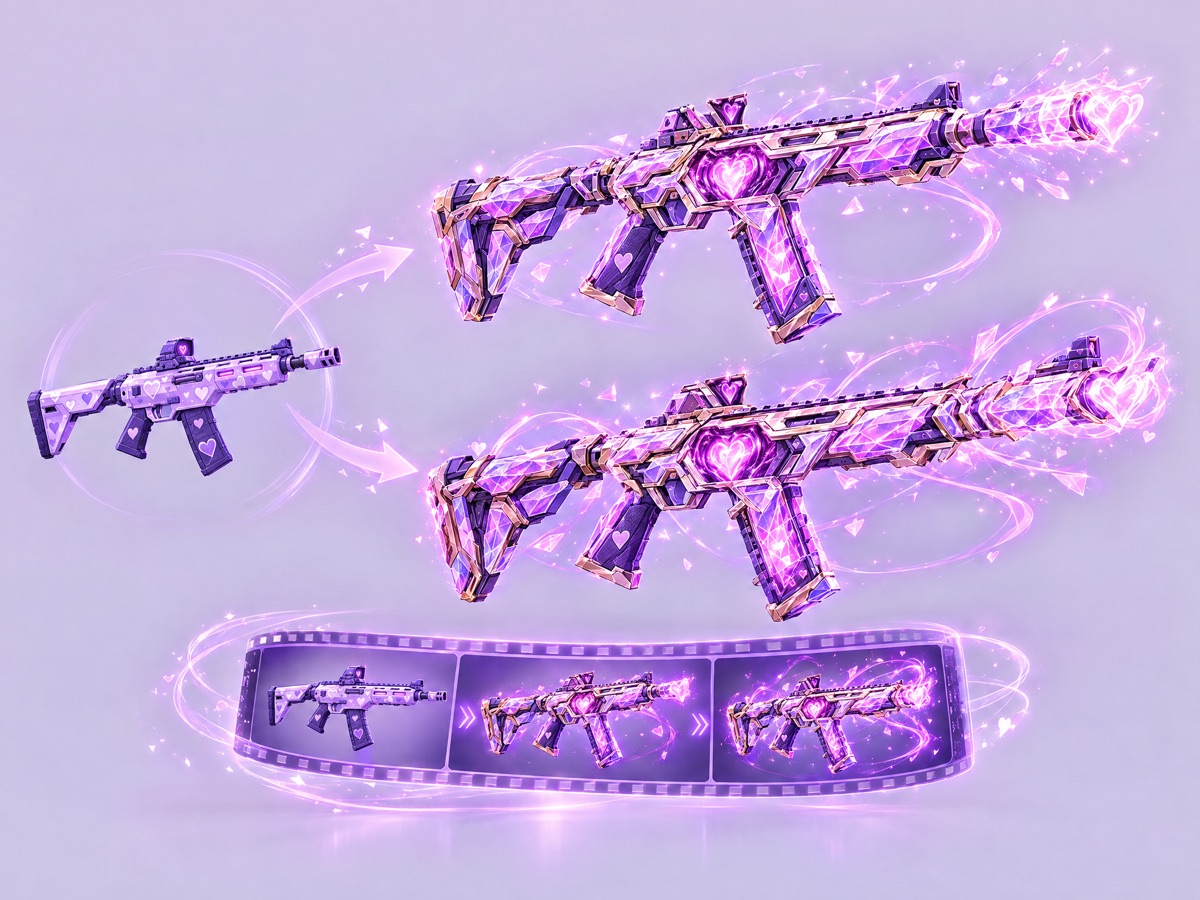
Takes one weapon and creates two evolved versions of it, plus a looping video of the transformation. Use it for upgrade tiers, rarity levels and the reveal moment in a store or event.
You provide one weapon image. You get two upgraded weapons and a transformation video.
Retopologize 3D model
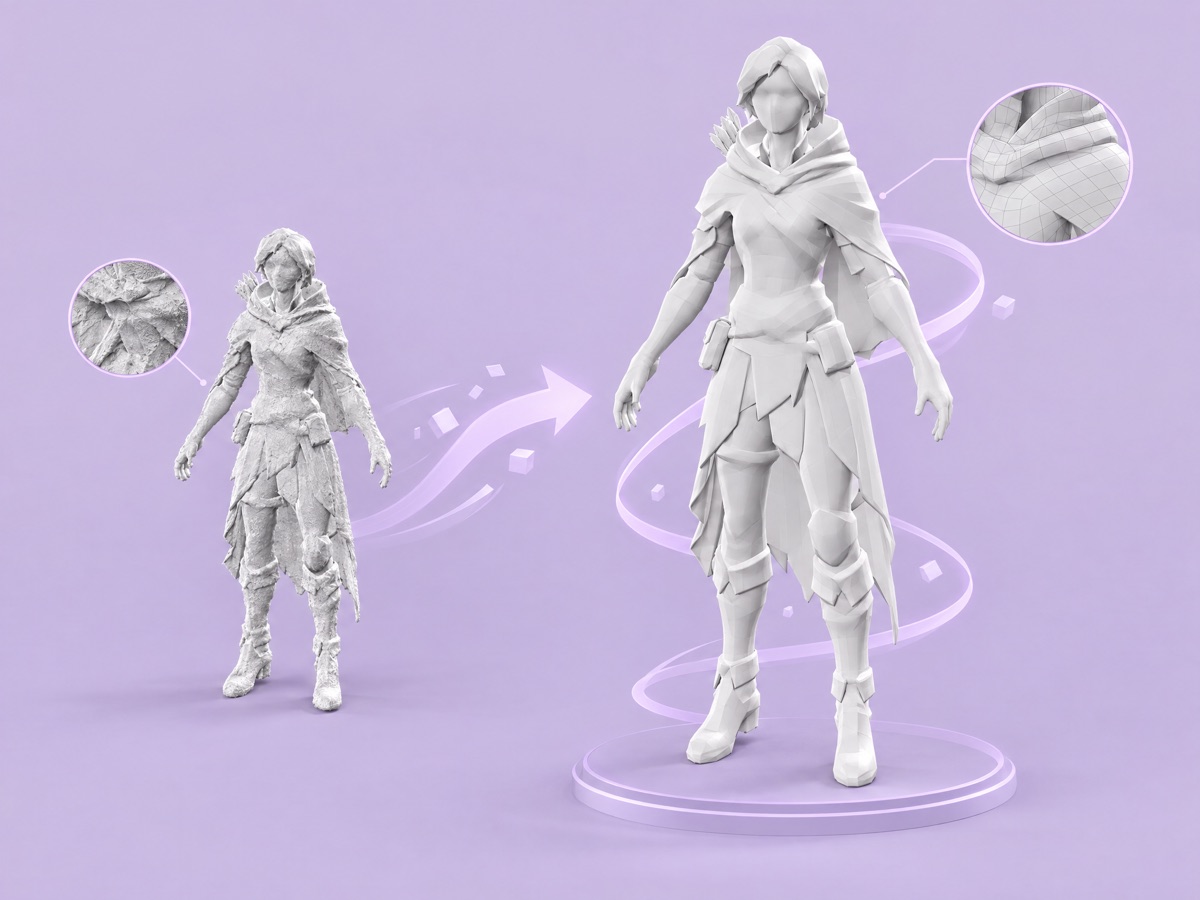
Converts a dense, high-poly mesh into clean, lighter topology that is easier to rig, unwrap and run in an engine.
You provide a 3D model. You get the retopologized model.
Apps for reskins, cleanup and localization
Bulk asset reskinner
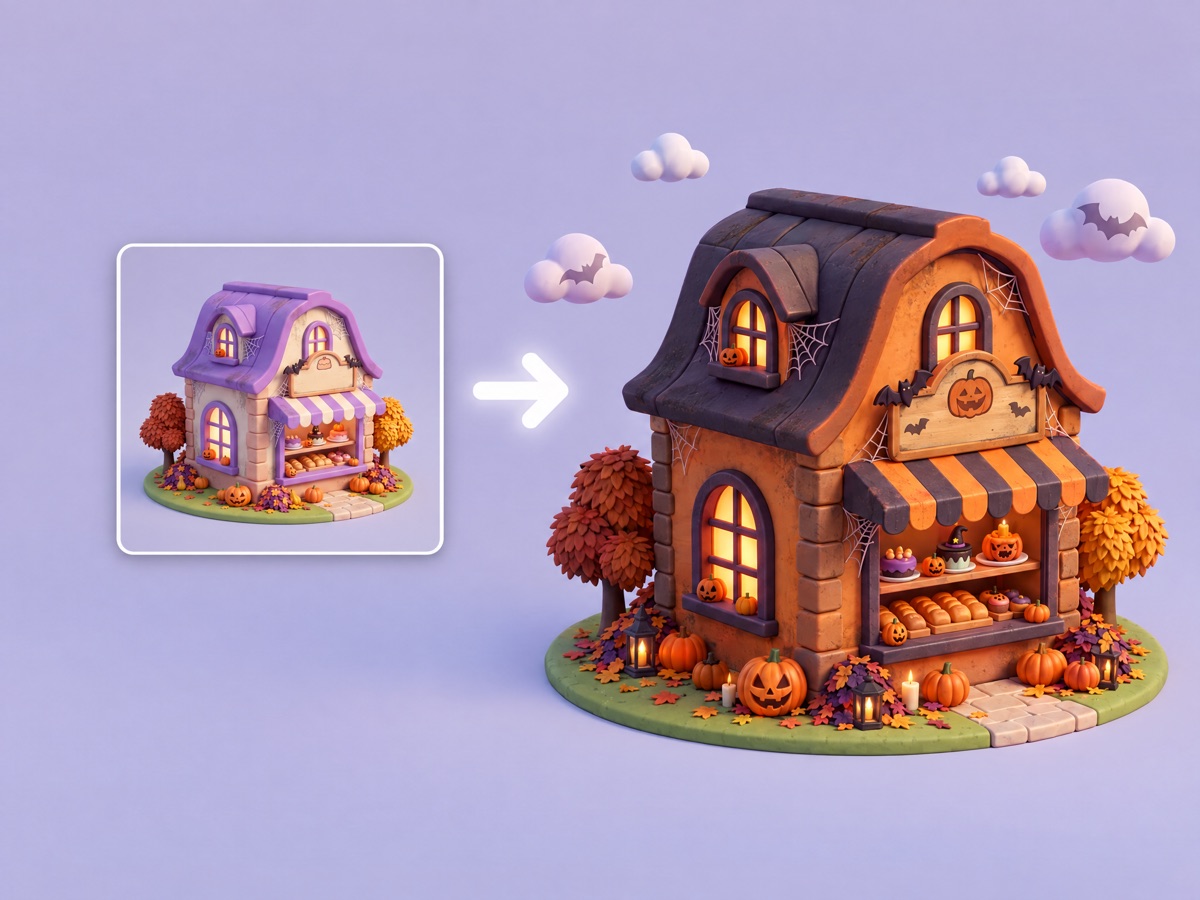
Reskins a whole set of assets into a new theme in one run, keeping each asset's composition, shape and materials. Built for seasonal events and live-ops content.
You provide the assets, one or more themes (each theme makes its own set) and optional notes such as what must not change. You get every asset in every theme.
Batch Background Removal
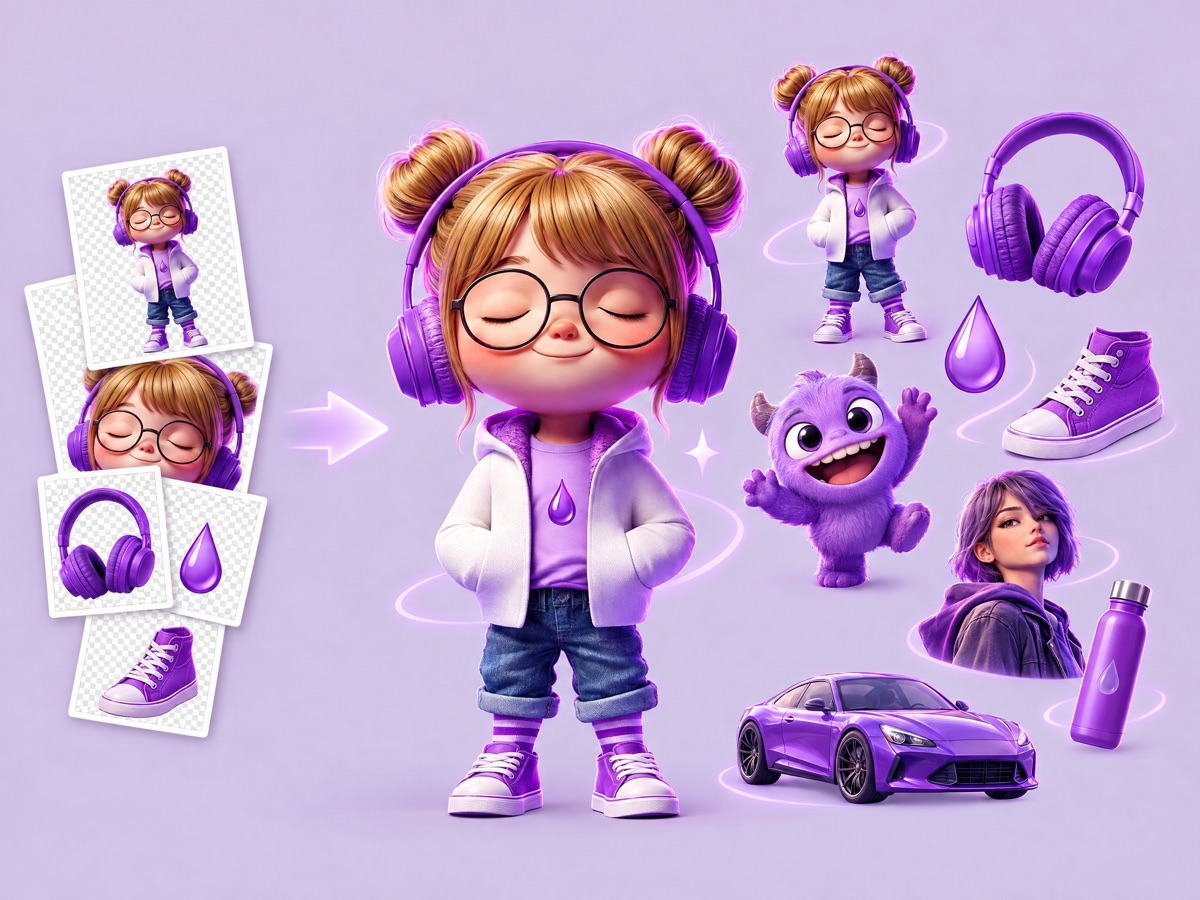
Cuts the subject out of every image in a set, so you do not process them one by one. Use it for character and item assets, store listings and anything you will composite.
You provide several images. You get each subject on a transparent background.
Image Text Translator
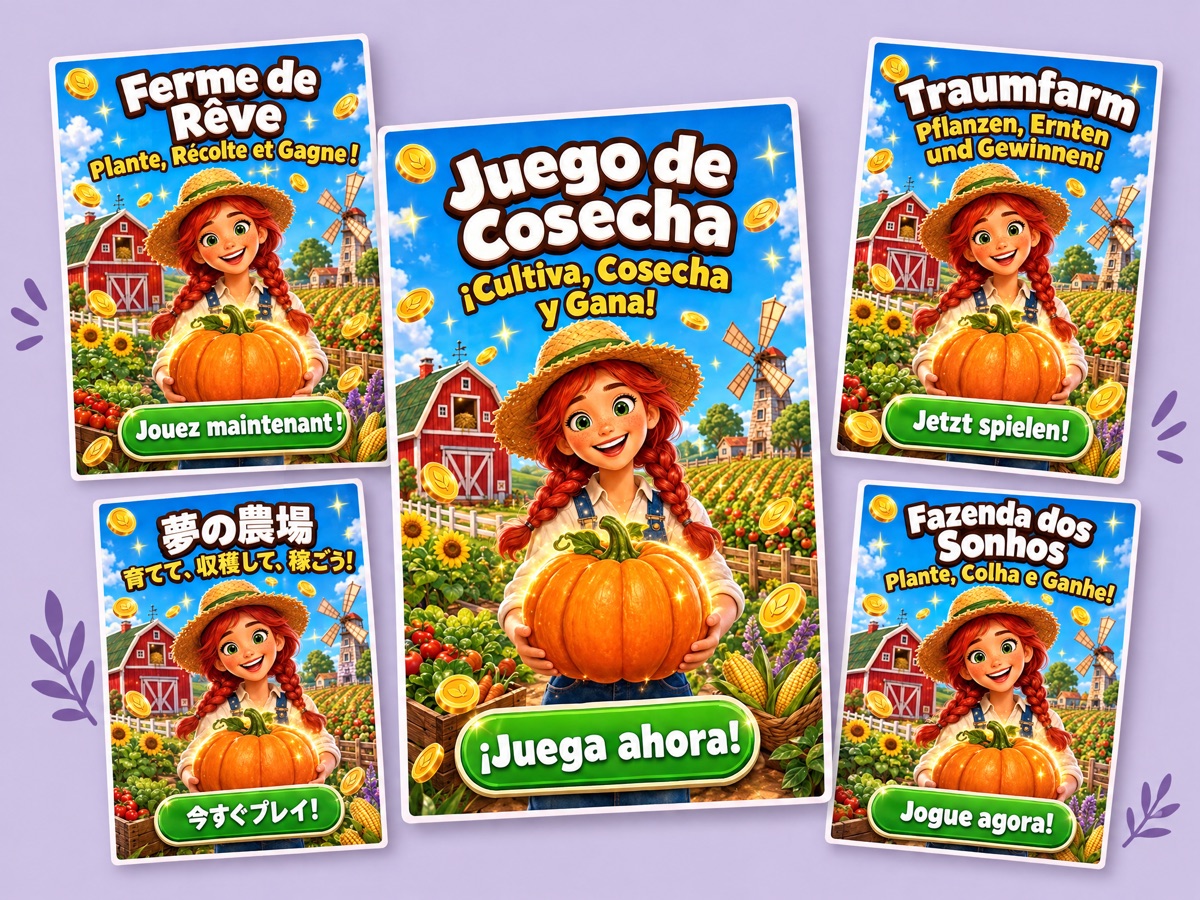
Translates the text in an image and keeps the design: fonts, colors, sizes and placement stay as they were. Use it to localize ads, store screenshots, UI and in-game signage.
You provide an image with readable text, one or more target languages and, optionally, tone notes or terms to leave untranslated. You get the image in each language.
Apps for video and ads
12-Beat Game Cinematic Story Machine
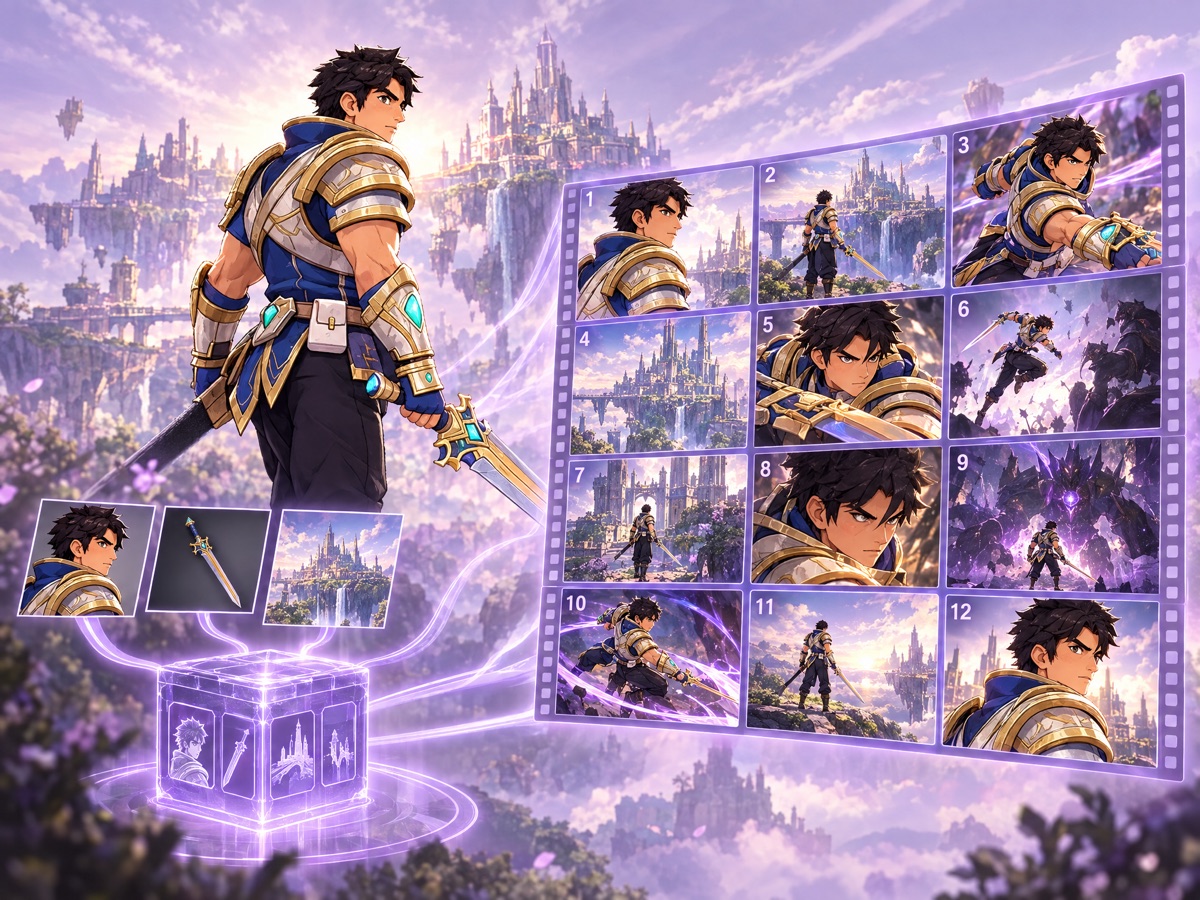
Turns your character, weapon and environment art into twelve sequential video clips that keep the character, weapon and art style consistent from beat to beat. Built for missions, boss encounters, hero reveals and trailers.
You provide character art and, optionally, a weapon, an environment or style reference, and a beat sheet describing the story. You get twelve video clips.
Hook Generation → Gameplay → Logo Stitch (Seamless Transitions)
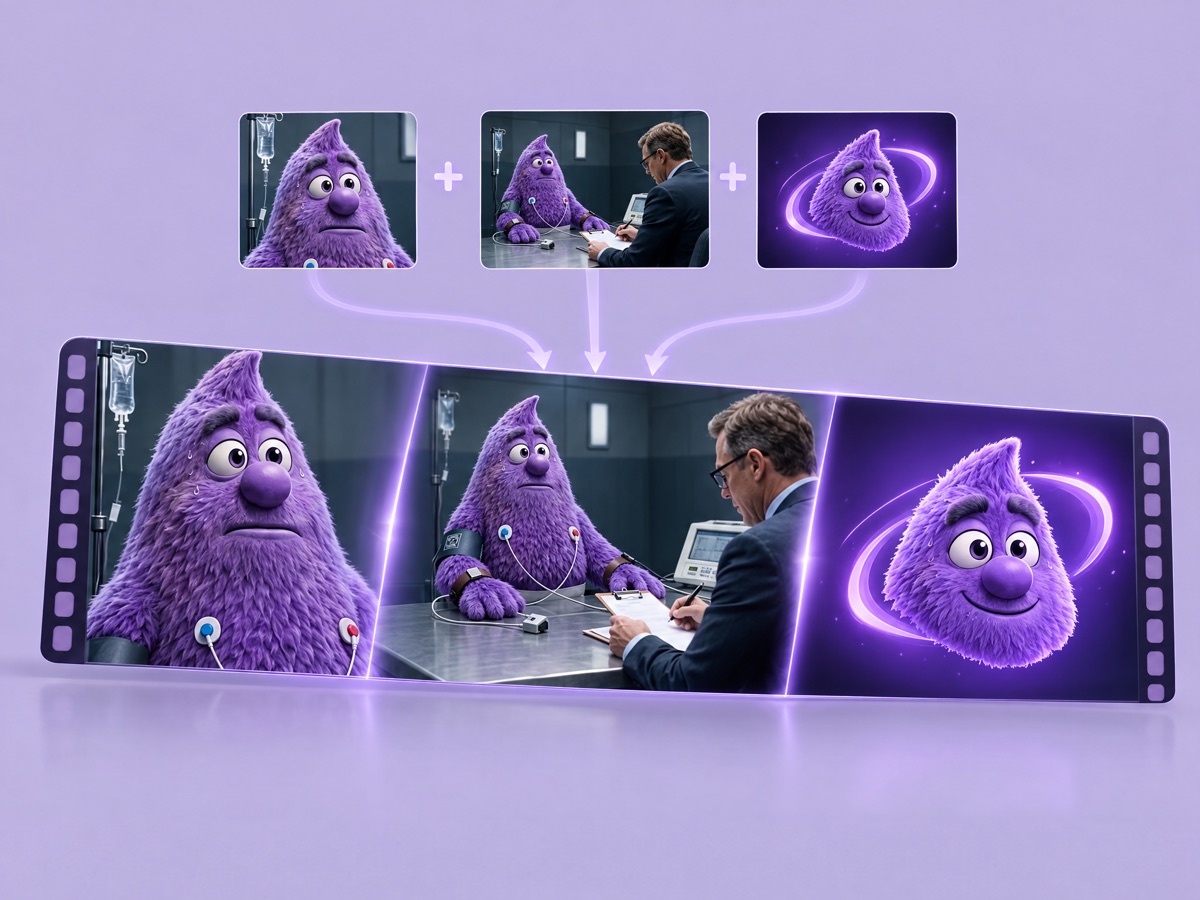
Joins a hook video and a gameplay capture into one ad, generating short transition clips so each section flows into the next instead of cutting.
You provide a hook video and a gameplay video. You get the stitched video.
Multi-Format Video Reframer
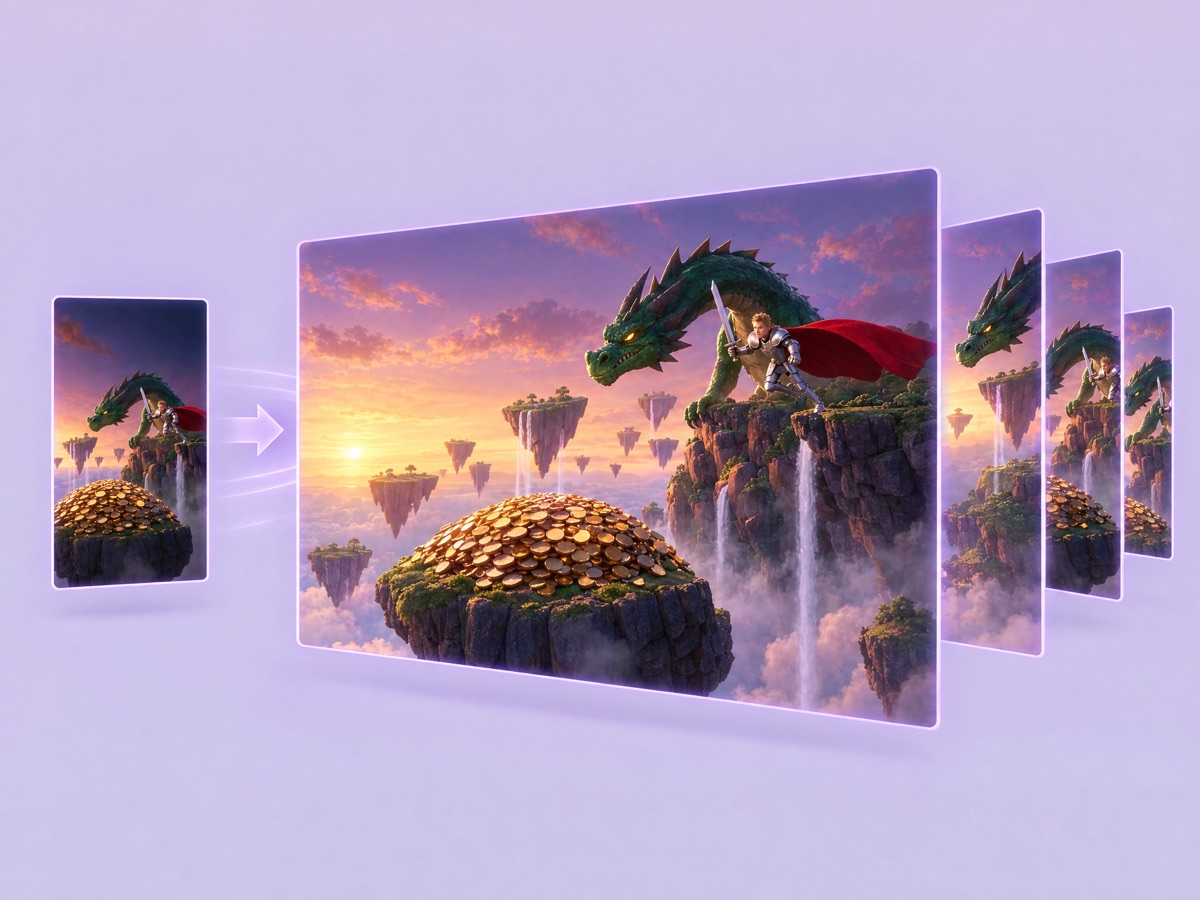
Reframes one video into the standard delivery formats for each placement. The original footage is kept and the extra canvas is generated to match it, so nothing is cropped away.
You provide one video. You get a version for each format.
What it means for you
Start from an app, not a blank canvas. When an app covers the job, it is the quickest way to a consistent result, and its preview shows you what to expect before you run.
Batch through the form. Many apps take several files or values in one input (images, themes, languages, poses) and run them all in one go. Check the cost on Run app before a large batch: every output is charged.
Keep going on the board. App outputs are ordinary assets. Edit, upscale or reframe them with the tools, or send them to the agent, in the same session.
Make it yours with a workflow. Apps follow our choice of steps and models, and we improve them over time. When your studio needs a pipeline that stays fixed, or one built around your reference sets, build it as a workflow.